The New PDCA: Prompt, Do, Check, Act
A practical reflection on using PDCA as the working loop for better AI-assisted coding, A3 evaluation, article drafting, and everyday knowledge work.
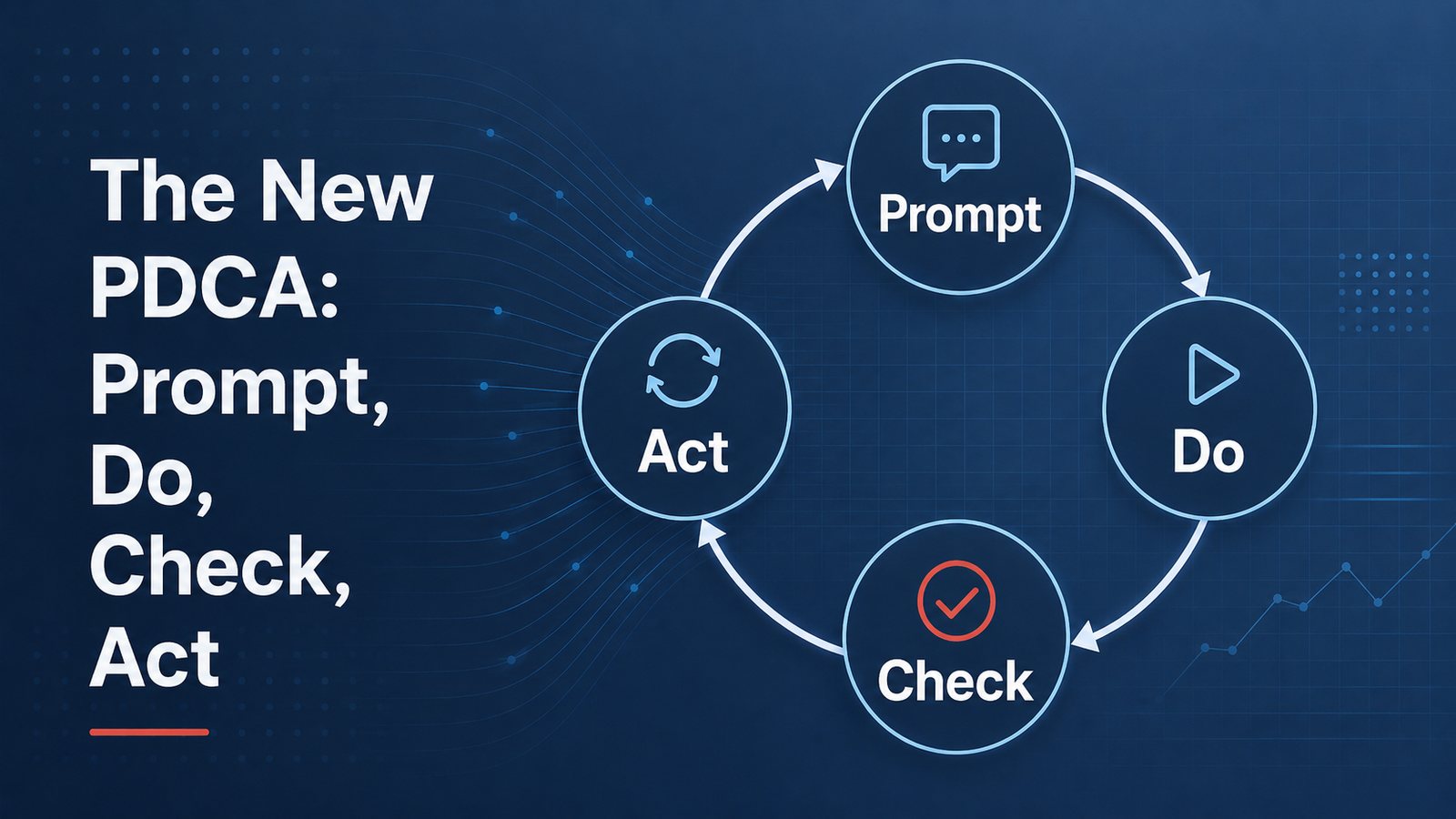
I keep noticing the same pattern in almost every AI-assisted task I do now.
Coding. Editing. Research. A3 evaluation. Article drafting. Website publishing. The work changes, but the loop is surprisingly familiar.
Prompt. Do. Check. Act.
That is not the traditional wording of PDCA, of course. Plan-Do-Check-Act has been around for a long time in quality and improvement work. I am not trying to rename it in any formal sense. But in daily work with AI, I find myself using a very practical variation of the same thinking pattern.
The mistake many beginners make is treating AI like a vending machine: insert prompt, receive answer. If the answer is good, they are impressed. If the answer is weak, they are frustrated. If the next answer varies, they conclude the model is unreliable.
Sometimes the model is the problem. More often, however, the working method is the problem.
Better results usually come from treating AI work as a loop, not a single transaction.
Prompt
The prompt is the start of the loop, but it is not the whole method. In this sense, the prompt is the plan. It defines the task, the context, the target condition, and the standard for checking the result.
A good prompt does more than ask a question. It defines the task, the context, the standard, and the expected form of output. If I am asking for code, I need to specify the behavior I want, the files involved, the constraints, and how success should be checked. If I am asking for feedback on an A3 report, I need to provide the rubric or standard. If I am drafting an article, I need to provide the story, the intended audience, the tone, and the quality bar.
This is where many people under-specify the work. They give the model a vague request and then get irritated when the response is generic. That is not very different from giving a vague assignment to a person and then being disappointed with the result.
The model needs a target condition.
Do
The “Do” step is where the model performs the task.
It writes the first draft. It edits the code. It summarizes the source material. It evaluates the A3. It proposes the countermeasures. It creates the table. It identifies gaps.
This is the part that looks magical at first. The speed is impressive. A task that once took an hour may take minutes. A coding change that required searching through files manually can happen quickly. A first-pass article draft appears almost instantly. A set of comments on an A3 report can be generated in structured form.
But speed is not the same as quality.
The output is still just output. It has to be checked.
Check
This is where the work gets interesting.
In coding work, I increasingly treat the check step as a form of jidoka. Do not pass defects forward. Before pushing code to GitHub or attempting to deploy on Vercel, have the model run the checks. Lint. Type-check. Build. Smoke test. Inspect the actual output. If something fails, stop and fix it before moving downstream.
For example, when I ask an AI coding assistant to make a website change, I do not stop when the code looks right. I ask it to run the type-check, lint, and build. If the build fails, that is not an inconvenience — that is the andon cord. Stop, fix, and only then push to GitHub or deploy to Vercel.
That is a simple discipline, but it matters. AI can generate working-looking code that contains small errors. It can miss an import, break a type, misunderstand a component boundary, or create a page that builds locally but fails under production assumptions. The check step catches these problems before they become someone else’s problem.
I use a similar pattern with A3 reports that practitioners submit to me. I can ask AI to evaluate the A3 against a rubric I created. The model reviews the report, identifies gaps, and gives structured feedback. Then I check that feedback. Sometimes I agree. Sometimes I adjust it. Sometimes the model catches a small point I might have missed. Sometimes it overstates a weakness and I correct it.
The point is not that AI replaces my judgment. It gives me another disciplined pass against a standard.
I also use the same method in article drafting. A draft is not finished because the model produced it. I can check it against a practitioner or coach rubric. Does it have operational substance? Does it have useful specificity? Is it grounded in something I actually know? Is it durable, or just topical noise? Does it sound like me, or like generic AI prose?
Again, the check step matters. Without a standard, AI work drifts.
Act
The “Act” step is where you adjust.
Sometimes the adjustment is small: fix a sentence, clarify a claim, add a missing example. Sometimes the prompt was weak, and the task needs to be reframed. Sometimes the model solved the wrong problem. Sometimes the check reveals that the output is not worth improving and should be abandoned.
This is also where human judgment remains essential.
I often have the model check its own work, but I do not let the model be the final authority. The final human-in-the-loop check still matters. I decide what gets accepted, revised, rejected, published, pushed, or deployed.
That is not a ceremonial role. It is the responsibility point.
The Loop Is the Method
There are many fancy terms now for AI workflows: agents, agentic loops, control loops, orchestration, tool use, automated evaluation, and so on. Some of those ideas are powerful and will continue to improve.
There are more advanced versions of this pattern. People are building agentic workflows, evaluation harnesses, tool-using systems, and LLM-maintained knowledge bases. I am interested in all of that and use pieces of it in my own work. But my version here is simpler, and it is what most people need first: define the task, run the work, check against a standard, adjust, and repeat.
Most of my daily AI work is still much simpler than the advanced versions.
Prompt the model. Let it do the work. Check the output against a standard. Adjust and repeat if necessary.
That is PDCA in a compressed digital form.
The speed has changed. The medium has changed. The cost of iteration has dropped dramatically. But the learning logic has not changed very much.
This is why beginners often get inconsistent results while more experienced users get better ones. The difference is not just “better prompting.” Better prompting helps, but the prompt is only one part of the loop. The real difference is whether the person is operating with a standard, checking against it, and adjusting based on what is learned.
AI does not remove the need for disciplined thinking. It makes disciplined thinking more important, because the tool can move so quickly.
The old lean lesson still applies: do not confuse activity with improvement. A model can generate a lot of activity. It can produce pages of text, lines of code, tables, summaries, and recommendations. But whether that output is useful depends on the standard and the check.
The new version of PDCA may be simple:
Prompt.
Do.
Check.
Act.
The tool is new. The learning loop is not.